Highlights are trapped inside individual files
Each PDF stores its annotations locally, inside its own file. There is no native view across documents, so reviewing what you marked means reopening every PDF and scrolling through it again.
PDF Highlight App includes its own PDF reader with highlighting built in, and it also accepts PDFs you've already highlighted elsewhere. Either way, each highlight is extracted with its text, source file, and page number, so you can review everything you marked without reopening a single PDF.
If you read and highlight many PDFs - case files, papers, course readings - you run into the same problems every time.
Each PDF stores its annotations locally, inside its own file. There is no native view across documents, so reviewing what you marked means reopening every PDF and scrolling through it again.
A highlight in most PDF readers is an annotation layer on top of the page. Getting the underlying text into a document, outline, or spreadsheet often turns into manual copy-paste, file by file.
A yellow mark does not say why you highlighted it. Without tags, categories, or notes attached, you end up rereading everything later just to reconstruct your own reasoning.
The goal is rarely just to have highlighted PDFs. You are usually building a brief, literature review, outline, or argument, which means pulling themes together across documents instead of organizing by file.
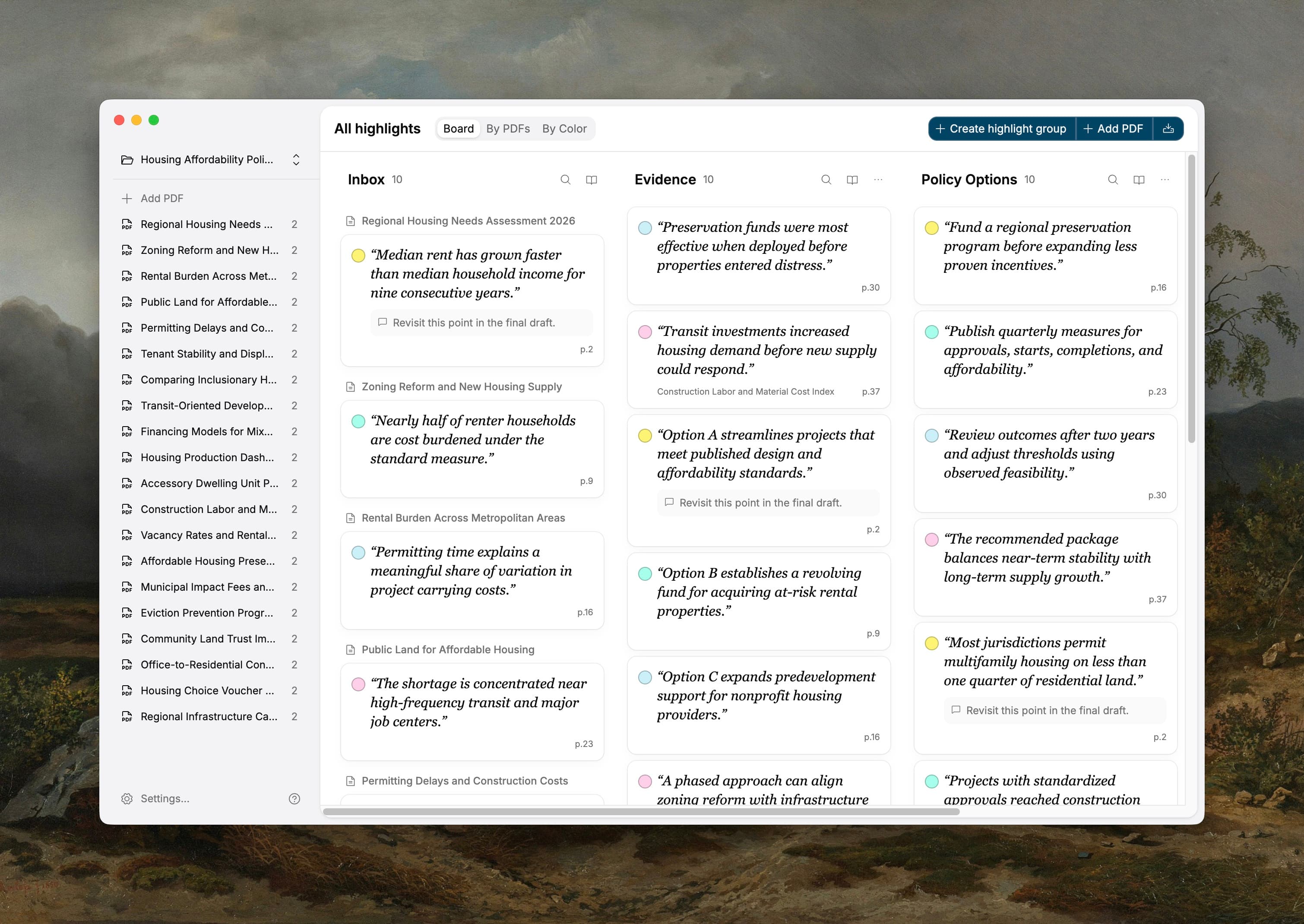
Read inside PDF Highlights App or in the reader you already use. Either way, the app extracts the text, attaches source and page, turns colors into tags, and gives you one view across every document.
Drop in clean PDFs and mark them up inside the app, or import files you already highlighted in Preview, Acrobat, or another reader.
Each highlight is extracted as a card with verbatim text, source file, page number, and a link back to the exact spot. Colors can become tags.
Drag cards into groups or outlines, then copy organized notes or export to Markdown, CSV, or JSON with citations and context attached.
Each card carries the verbatim text, source file, page number, a link back to the exact spot in the PDF, and a tag. Filter by tag, search the full text of everything you marked, or group cards by theme.
“A party may not invoke the doctrine where its own delay caused the prejudice it now asserts.”
“Attention is drawn to the finding that replication rates fell below 40% in the original cohort.”
“The dissent would hold that reliance alone, without notice, is sufficient to bar the claim.”
“Mitochondrial density in the treated group increased threefold relative to control.”
“The statute of limitations begins to run upon discovery, not upon injury.”
“Earlier work attributes the effect entirely to selection bias in sampling.”
Six highlights from four different files, shown in a single view. In the app, every card links back to its exact location in the source PDF.
Turn scattered PDF highlights into cited, searchable material for briefs, literature reviews, study outlines, and other document-heavy work.

Turn marked exhibits into cited summaries and briefs without rebuilding the record from memory.

Compare findings across papers by theme, then export notes with citations intact.

Reorganize semester readings by topic so every concept becomes a study-ready outline.
Every plan includes the complete app and a 7-day free trial.
A flexible option for your current project.
Save 50% compared with paying monthly.
Pay once, own it forever. Free updates for the current major version.
Your license key arrives by email after checkout.
Yes, when the highlights are saved inside the PDF. Preview and Adobe usually save them directly. Zotero users should choose File → Export PDF… (or Save As… in the reader). In Mendeley Reference Manager, open Info → Files, use the file’s … menu, and choose Export PDF with annotations.
Both. Highlighted passages and their attached comments come into the same workspace, along with other markups saved inside the PDF such as underlines, strikeouts, and notes.
Your PDFs, highlights, comments, and projects stay on your computer. The app contacts PDF Highlights App’s license service for activation and GitHub for app updates.
A project workspace with your highlights and comments inside the app. You can organize them on a board, browse them by PDF or color, and keep the source page close by as you write.
Download the app and start your 7-day trial immediately—no card or license key is required. After buying through Stripe, enter the key from your license email in the app or in Settings.
Your library remains available in read-only mode. You can keep viewing, searching, backing up, and exporting your PDFs and highlights. A valid license is required to import or change your library.
Each license activates one computer at a time. Deactivate it in Settings on your old computer, then activate it on the new one with the same key.
Yes. Downloads are available for macOS on Apple silicon and for Windows 10 or 11 on x64 PCs.
The latest app release is available from GitHub Releases: https://github.com/Accellsoft/pdfhighlightsapp-releases/releases
Create a local project, bring in the PDFs you already marked up, and organize the notes you need for the work ahead.